
Product · For NHS IG and DSPT leads
Know your evidence will pass before the auditor sees it
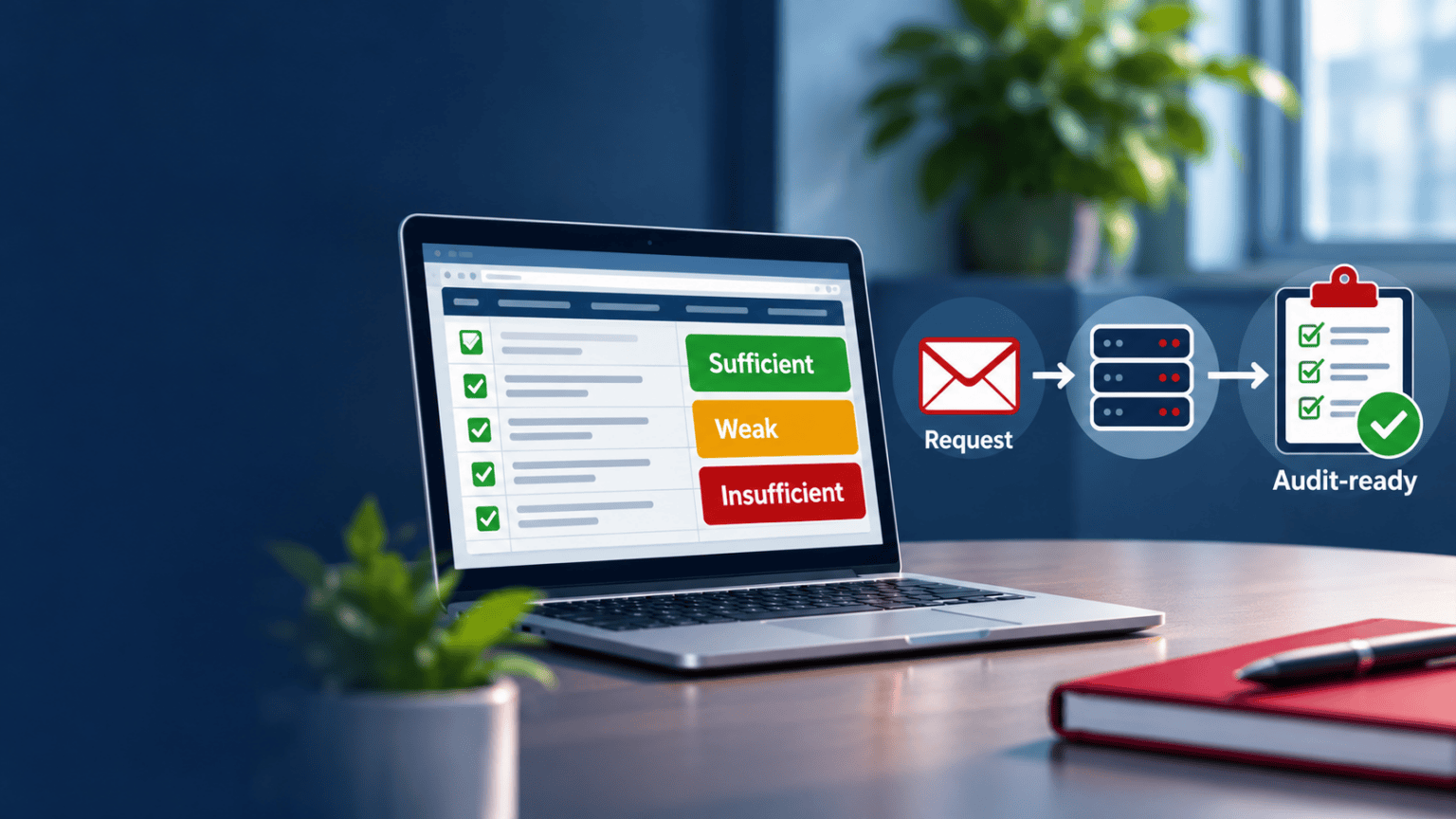
The Audit-Ready Evidence Desk is an Excel workbook that turns every audited CAF outcome and the version 9 requirements into evidence requests your IT teams can act on. It then grades what comes back the way an auditor will, so weak and out-of-date evidence shows up months before the audit, not in the last fortnight.
87
evidence items, each saying what to send, what it proves, who owns it and how recent it must beAcross 19 outcomes
3 grades
Sufficient, Weak or Insufficient, with the reason written out so the owner knows exactly what to fixAuditor-style tests
0 uploads
It runs on your own network, SharePoint or Teams. Your evidence never reaches us or anyone elseYour data stays yours
v9 ready
MFA, post-quantum planning, alert response times, supported operating systems and XDR are all coveredDSPT 2026-27
The problem every DSPT lead knows
The DSPT is rarely failed for lack of controls. It is failed at the handover between governance and IT.
- Governance knows which outcomes are audited, but not what technical proof will satisfy the assessor.
- IT holds the proof, but receives requests like "please send evidence for B2.c" and returns a policy, an undated screenshot or an export of the wrong thing.
- Nobody grades the evidence until the auditor does. Stale or policy-only evidence becomes a finding, and the fix becomes a scramble in the final weeks before 30 June.
- Version 9 raises the bar. Phishing-resistant MFA with an exceptions register, a post-quantum cryptography plan, high-severity alerts acknowledged within 48 hours (24 hours from 1 January 2027), supported operating system percentages and XDR coverage. Last year's evidence will not cover them.
How it works
1. Set up in minutes
Enter your organisation, audit date and reply date. Every item of evidence is then aged against the day the auditor will look at it, not against today.
2. Send clear requests
Each evidence item says what to send, what it proves and how recent it must be, with the PowerShell or KQL query to produce it. The workbook writes the request for each owner: infrastructure, security operations, service desk, HR and IG.
3. Log what comes back
Record the date, the coverage and the checks it meets. It takes a minute per item.
4. Grade it like an auditor
Is it dated? Is it recent enough? Does it show the control operating, or only a policy? Does it cover the whole estate? Does it meet the checks for that outcome? Each item is graded and the reason is shown.
5. Act on the dashboard
Status by outcome against the level you are claiming, by owner and by milestone. You can see within seconds what is at risk and who needs chasing, and give your SIRO a view they can follow.
What a graded item looks like
Illustrative rows from the Evidence Register:
| Outcome | Evidence | Grade | Why |
|---|---|---|---|
| B2.a | MFA report from Entra ID for remote and privileged access | Weak | Dated, but shows MFA registration rather than enforcement (4 of 5 checks met) |
| B4.c | Malware and unauthorised software policy | Insufficient | Policy only, where the auditor tests the control operating. Send the Defender device coverage report |
| D1.c | Incident exercise report with actions and owners | Sufficient | Dated within the period, covers the whole organisation, all checks met |
Why it is different
| Option | What you get | What it leaves to you |
|---|---|---|
| The national toolkit and its workbook | A record of what you are claiming | Telling IT what to produce, and testing whether it would pass |
| Consultant-led preparation | Expert review | The cost, usually thousands, and the same dependency next year |
| Governance (GRC) platforms | Workflow and storage | Licence cost, evidence often held on a third party's servers, and no DSPT v9 audit tests |
| The Evidence Desk | Specific requests, queries and auditor-style grading for every audited outcome and v9 requirement | The audit itself. It prepares you for your independent assessor; it does not replace them |
- Your evidence never leaves your network. An Excel file on your own machines, SharePoint or Teams. No portal, no supplier access, no data-sharing agreement to negotiate.
- Built for this year's audit. DSPT 2026-27 version 9 and CAF v4.0, checked against NHS England's 2026-27 guidance on how each outcome is audited. Updates are included to 30 June 2027.
- IT teams can use it as it stands. Real queries for Microsoft Defender, Entra and Active Directory, not a list of control names.
- Works on locked-down estates. Standard Excel functions only: no macros, no add-ins, nothing to install.
- Something the board can follow. A dashboard the SIRO and audit committee can read without a briefing.
What it costs
The Excel workbook (Dashboard, Evidence Register, Outcomes, Requests, IT Queries and Setup), an offline web version that opens in any browser, and updates to 30 June 2027.
£495 + VATEmailed within one working day
Every DSPT readiness review includes the workbook at no extra charge, set up with your audit date and the outcomes in scope.
Who it is for
NHS trusts, integrated care boards, commissioning support units, and independent providers and suppliers submitting the CAF-aligned DSPT. It helps most where the IG team is small, the DSPT lead is new to the role, or IT services are outsourced or shared.
Questions we are usually asked
Does it guarantee we pass?
No, and nothing honestly can. It applies the tests an auditor uses early enough for you to fix what fails. It is a preparation aid; the independent assessment is still done by your assessor.
Do you see our evidence?
No. The workbook runs on your own systems. Nothing is sent to us or anyone else, and we have no access to it.
Will it work on our estate?
Yes. It uses standard Excel functions with no macros or add-ins, so it opens under typical NHS security settings. It works in desktop Excel and in Excel for the web on SharePoint or Teams.
We are on the standards-based toolkit. Is it for us?
It is built around the CAF-aligned toolkit and its audited outcomes. Many of the evidence items still apply, but if you submit the standards-based version, talk to us first.
What happens when NHS England changes the guidance?
Updates to the 2026-27 version are included to 30 June 2027 and are emailed to you when issued.
Can we share it with other organisations?
The licence covers one organisation. Each organisation that uses it needs its own copy.
Licensed for use by one organisation. Contains public sector information licensed under the Open Government Licence v3.0. UK Cyber-Safe is a trading name of Eurologix Security Holding Group Ltd.